
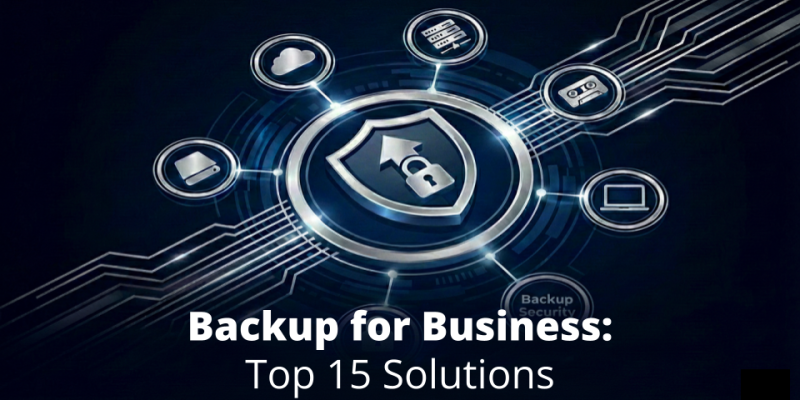
Backup For Business: Top 15 Solutions To Protect Your Data and Systems in 2026

Years go by and the cybersecurity landscape is getting more and more complex. The constant development of technologies brings new business needs, skill requirements, but also threats and attack vectors. Companies must protect more workloads with more complex data structures. At the same time, they need to safeguard backups against innovative and sneaky threat actors who—in addition to stealing precious data—try to destroy copies.
Nowadays, unprofessional or ‘partisan’ ways to embrace backup might fail completely. In this guide, we’ll introduce you to 15 modern backup for business solutions you should consider to efficiently protect your business data, intellectual property, know-how, or personal information. Not to mention financial loss. Let’s have a look!
Comparison Table: The Best 15 Backup for Business Solutions to Look At
We’ve collected information about 15 vendors that offer reliable and modern backup for business solutions. To compare the most important features, have a look at our convenient table. To learn more about each vendor and its solution(s), use the link to navigate to the appropriate section.
Note: If you simply keep reading, you can take advantage of our division based on the solution’s market positioning to pre-select vendors that fit your organization’s size.
| Solution vendor | Protected workloads | Dedicated backup appliance | Sales model | Self-service trial | |
| Local & virtual | SaaS | ||||
| Acronis | ✅ | ✅ | ❌ | Direct, Partners, MSPs | No (form required) |
| Unitrends | ✅ | ✅ | ✅ | Direct, Partners, MSPs | No (form required) |
| Veeam | ✅ | ✅ | ❌ | Partners, MSPs | No (form required) |
| Xopero | ✅ | ✅ | ✅ | Direct, Partners, MSPs | Yes |
| Barracuda | ✅ | ✅ | ✅ | Partners, MSPs | No (form required) |
| Datto | ✅ | ✅ | ✅ | MSPs | No (form required) |
| MSP360 | ✅ | ✅ | ❌ | Direct, Partners, MSPs | No (form required) |
| Cove (N-able) | ✅ | ✅ | ❌ | MSPs | No (form required) |
| Nakivo | ✅ | ✅ | ❌ | Direct, Partners, MSPs | No (form required) |
| Spin.ai | ❌ | ✅ | ❌ | Direct, Partners, MSPs | Yes (you need to be an admin) |
| Cohesity | ✅ | ✅ | ✅ | Partners, MSPs | No (form required) |
| Commvault | ✅ | ✅ | ✅ | Direct, Partners, MSPs | No (form required) |
| Dell | ✅ | ✅ | ✅ | Direct, Partners, MSPs | No (form required) |
| OpenText | ✅ | ✅ | ✅ | Partners, MSPs | No |
| Rubrik | ✅ | ✅ | ✅ | Partners, MSPs | No (guided demo) |
Backup Vendors with a Universal Offer (SMB & Enterprise)
These backup solutions should fit your needs whatever your business size is.
Acronis
Acronis Cyber Protect (Cloud) is the successor of Acronis Backup. The Cloud version is designed for Managed Service Providers (MSPs). There’s no dedicated all-in-one backup appliance on the offer. The thing that stands out Acronis from competitors is the integration of cybersecurity features (in addition to backup), for example antivirus or URL filtering.
If you decide on Acronis, you can buy from them directly or choose a Partner or an MSP to have your backups managed by someone else. To start a free 30-day trial, you need to first fill in a form with your business data.
As for support options, you can call or chat technicians or send a request. A self-service community is available, too.
| Pros | Cons |
| – Support for modern backup technologies (e.g. immutability, replication, instant restore) – Unique cybersec features in the package – Wide range of protected workloads – Wide range of supported storage types | – Complex to manage (2 consoles) – Non-transparent, tiered offering with exclusions – Add-ons purchased separately to equip your setup with additional functionalities – No true all-in-one appliance on offer |
Verdict: If your organization needs backup and cybersec in one package, Acronis can be the right choice. However, take your time to study the offering thoroughly to not be unpleasantly surprised later on.
Unitrends
Unitrends focuses on delivering all-in-one backup appliances (Unitrends Recovery Series) to ensure comprehensive protection. Still, other options are also available like UniView (backup software platform) or cloud-based disaster recovery-as-a-service (DRaaS). You can also buy cloud storage from Unitrends (Unitrends Forever Cloud) to use for storage and retention.
Unitrends solutions sales is not limited to the MSP channel only. You can request pricing and contact directly from the Unitrends sales team. However, a 30-day trial is not easily accessible, and you need to fill out a form to contact sales first.
Unitrends technical support is available through phone and Kaseya’s (umbrella company) support ticketing system.
| Pros | Cons |
| – Proactive, AI-based ransomware detection and prevention – Automated backup testing – Free appliance replacement on support renewal (the Pledge program) | – UI complexity – The software platform can be resource-intensive – Premium pricing – Varied technical support experience (after Kaseya’s merger) |
Verdict: Choose Unitrends if you need an all-in-one appliance with strong ransomware prevention and automated testing features.
Veeam
The offer covers 2 main products: Veeam Data Platform (self-managed or cloud-based with the widest coverage of protected workloads) and Veeam Data Cloud (cloud-only backup + storage for selected cloud services, e.g. Salesforce). Both the platforms can be combined with Veeam Vault, a secure cloud storage from Veeam. The company also offers pre-prepared ISO images of Veeam Data Platform (Veeam Software Appliance) for streamlined installation on servers, NAS devices, etc.
Veeam solutions can be bought through MSPs and Partners only. To trial Veeam Data Platform, you need to fill in a form with your organization’s data. For the newer product, Veeam Data Cloud, no trial is available.
As for Veeam’s tech support, you can submit tickets via the ticketing system 24/7.
| Pros | Cons |
| – Mature product with easy to use console – Multi-workflow and multi-storage support – SIEM/SOAR integration – AI automations and features | – Requires a separate purchase of Veeam Vault or an S3 cloud to use hardened security (immutability) – Backup testing available with the highest plan only – Limited trialing options – No true all-in-one appliance on offer |
Verdict: With Veeam, an organization of any size can find something to match its needs. The only thing to watch out for is the right choice of offering tier to make sure it includes all the options you need.
Xopero
With over 16 years of experience in the backup industry, Xopero’s offer is mature and comprehensive, covering:
- Xopero ONE Backup&Recovery—backup software platform to protect physical devices (endpoints, servers, NASes, SMBs, etc.), virtual machines, SaaS, and DevOps with multi-storage support (local, S3 clouds, NAS, SMB, etc.).
- Xopero Unified Protection—all-in-one hardened backup appliance with Xopero ONE and advanced ransomware protection technologies (immutability, air-gapped backups) on board.
What makes Xopero stand out among the competition are: free cloud storage in the package, robust SphereCyberX security technologies (encryption, immutability, RBAC, etc.), 100% self-service trial experience, reliable in-house tech support, and compatibility with DevOps tools (GitHub, Gitlab, Bitbucket, Azure DevOps, Jira). For companies needing the widest DevOps data coverage and granularity, the vendor offers a separate solution called GitProtect.io.
You can purchase products directly from Xopero but the main focus is on Partners and MSPs. As for trialing, you can test Xopero ONE Backup&Recovery for free for 14 days in the cloud or on-premises version.
The company boasts its in-house support team, which you can reach out to through a dedicated form. The subsequent communication can be carried out via phone or email.
| Pros | Cons |
| – Multi-workload and multi-storage support, including DevOps – 256AES encryption in transit and at rest – Ease of use (wizards, clear UI) – Hardened & isolated backup-dedicated appliance – Quick deployment of the appliance – Quick tech support | – No AI-based modules for extra functionality – Not the widest workload coverage on the market – Appliance high upfront cost (but the leasing option is available, too) |
Verdict: Choose Xopero if you need a reliable, modern, scalable, and secure backup & disaster recovery solution for an organization of any size.
Backup Vendors Focused on SMB Organizations
Vendors and solutions presented in this section will fit you if your organization is from small to medium.
Barracuda
Depending on what you want to protect, Barracuda has 2 software products: Barracuda Backup (endpoints, servers, VMs, NAS devices) and Barracuda Cloud-to-Cloud Backup (Microsoft 365). However, the vendor is the most popular for their line of all-in-one backup appliances. A virtual appliance to install as a virtual machine is also available.
Barracuda sells their products via certified Partners and MSPs. You can trial Barracuda Backup for 30 days for free. For the M365 backup solution, the 14-day free trial is available. Each trial experience requires you to fill out a form with your business data.
Tech support is available through phone and chat. You can also sign up to the Barracuda customer community to get help.
| Pros | Cons |
| – Unlimited storage offer available – Easy and quick deployment of pre-configured appliance – Free appliance replacement after support renewal (every 4 years) | – Clunky interface – High upfront cost – Inflexible scalability (you can’t add disk(s) but need to buy a new appliance) |
Verdict: Choose Barracuda if you look for an all-in-one backup appliance for maximum simplicity of backup operations and want to keep your data on-premises.
Datto
Datto’s offering is clearly divided into:
- all-in-one backup appliances (ALTO for small businesses, SIRIS for larger organizations)
- software (vSIRIS, SIRIS Imaged) to install on your own hardware
- cloud-based solutions requiring no hardware, each for backing up different workloads (endpoints, SaaS, etc.)
Datto focuses heavily on the Business Continuity and Disaster Recovery (BCDR) features, so with SIRIS line of products, you get technologies like Inverse Chain Technology (independent restore points) or Instant Virtualization (instant restore) to get up and running quickly.
Datto’s offering is aimed at MSPs, so you can’t buy from them directly. To demo Datto, you need to fill out a form with your business data.
Tech support is provided via phone. MSPs can also use Datto’s Support Hub.
| Pros | Cons |
| – Wide and flexible offer – Built-in proprietary BCDR technologies – Ease of use – Unlimited retention for SaaS backup | – No advanced controls – Appliances are not easily scalable – Slow recovery – Inaccurate reporting (e.g. showing no errors when errors exist) – Varied technical support experience (after Kaseya’s merger) |
Verdict: Choose Datto if your setup is not complex and you want to go with a solution focusing highly on BCDR.
MSP360
As the name speaks for itself, this backup vendor focuses on the MSP-based selling model. Yet, you can still purchase standalone licenses directly from the vendor. The offer covers 2 products: MSP360 Backup (for backing up on-premises workloads) and MSP360 Backup for Microsoft 365 and Google Workspace. There are no backup appliances on offer, so you always need to take care of storage separately.
To trial or download an MSP360 product, you need to fill in a form, providing your name and business email.
Standard support comes at no extra cost. With Premium one, you can count on faster response time, but it’s an additionally paid option. You can contact technicians through the Customer Support Portal, too.
| Pros | Cons |
| – No vendor lock-in – Low cost – No infrastructure for self management – Lightweight and easy to use solution | – Necessity to use separate support for software and storage – Limited workload support – Varied tech support experience |
Verdict: Select MSP360 if you need a cheap yet professional backup solution, already have your own cloud storage, and have nothing against cooperating with 2 separate vendors for software and storage (hardware/cloud).
Cove (N-able)
Cove Data Protection is the backup & recovery SaaS platform from N-able. It’s a cloud-first solution that differentiates itself with a lightweight & optimized approach (e.g. proprietary TrueDelta technology for updating backups with changed blocks only). By default, your data is backed up to N-able cloud data centers. However, you can also use your own storage (BYOS). The company doesn’t offer all-in-one appliances.
N-able sells Cove just through Managed Service Providers (MSPs), so you’ll have your backups managed and monitored by external specialists. To trial Cove for 30 days for free, you need to register using your business details on N-able’s website.
In terms of tech support, you get a lot of options: phone, live chat (from within the app), and online support portal (with an N-ableMe account).
| Pros | Cons |
| – The TrueDelta technology providing resource and time savings – Frequent automated backups – Modern and intuitive UI – No considerable upfront cost | – Cloud and Internet connectivity dependency – Data outside your org – Limited reporting |
Verdict: Choose Cove if you’re a modern, cloud-first company that looks for an efficient and lightweight backup solution and doesn’t want to invest in legacy infrastructure.
Nakivo
NAKIVO Backup & Replication is a universal platform for backup, replication, and disaster recovery. You can install it on a physical device, mount as a pre-configured image on VMware or Hyper-V, or install directly on a NAS device to build your all-in-one backup appliance.
The solution is sold both directly and through MSPs, whichever model is better for you. If you don’t want a self-managed solution, you can have MSP manage Nakivo for you, sharing a self-service portal link with you.
When it comes to technical support, Nakivo’s technicians are available through phone, email, and chat.
| Pros | Cons |
| – Deployment flexibility – Ease of use and user-friendly UI – Cheaper than well-established industry leaders – Support for the Proxmox virtual environments – Quick and competent technical support with different contact options | – Limited configuration options – Limited reporting and monitoring – No proprietary all-in-one appliance on offer to enjoy an elevated level of protection |
Verdict: Choose Nakivo if you look for a decently priced solution with great support, don’t need more advanced options, and want to focus on protecting your virtual environment(s).
Spin.ai
The SpinOne platform with the SaaS Backup & Disaster Recovery module is the main backup solution from Spin.ai. It’s different from other vendors we’re presenting here—you can use it to protect cloud workloads only (e.g. Microsoft 365, Salesforce, Slack), and SaaS deployment is the only option. Spin.ai offers no appliances—you can use a public cloud as a storage or bring your own (cloud) storage (BYOS).
The platform and modules can be purchased directly from Spin.ai based on tiered subscription. You can also have an MSP to manage your backups through a multi-tenant console. 15-day free self-service trial is available—all you need is the administrative privileges in your cloud service.
Speaking about tech support, Spin.ai’s technicians are available over the phone, email, and chat 24/7.
| Pros | Cons |
| – Extra features in the package: ransomware detection, eDiscovery, and DLP – Easy setup and UI – Great & easily reachable support – Easily accessible 15-day trial experience | – Only cloud workloads protected – Long backup intervals (e.g. 1-3x a day) – Can be expensive for large organizations (per user licensing) – Limited functionality in low plans |
Verdict: If you’re a small cloud-first company looking for a simple backup solution with ransomware protection features and great support, Spin.ai might be a good choice.
Backup Vendors Focused on Large and Enterprise Organizations
This section lists backup for business solutions that focus on the largest organizations. If you’re a representative of a 500+ business, you’ve come to the right place.
Cohesity
This vendor advertises its offer more broadly as a data management solution. Cohesity Data Cloud is the main backup software platform, but the vendor also has all-in-one appliances on offer as well (the CXXXX series). The software can be deployed both in the self-managed and SaaS model.
Cohesity focuses on selling through channel partners. The MSP model is also well-developed, letting MSPs deploy their own backup clouds and offer them for multiple end customers (multi-tenancy). A 30-day free trial is available after submitting a form with your business details.
You can reach tech support via the Support Portal and over the phone (selected regions).
| Pros | Cons |
| – Robust instant recovery – SmartAssist technology to discover ransomware – Global deduplication across all Cohesity appliances deployed within your infrastructure – Ease of use – Ability to extend functionality with Cohesity Marketplace apps | – Premium pricing – Complex initial setup – High system requirements – Varied support experience |
Verdict: Cohesity may come in handy if you’re a bigger organization and need to consolidate lots of data in addition to the backup & recovery operations.
Commvault
The main product is Commvault Platform. In addition to backup&recovery, it lets you protect identity (through integration with Active Directory), classify data, or optimize storage. Apart from the software-based solution, Commvault offers all-in-one HyperScale appliances with dedicated software.
The vendor is famous for their extremely wide workload support, ranging from physical and virtual devices, through databases, containers, and posture management tools, to SaaS and identity providers. The proprietary ThreatWise technology can be used to deceive cybercriminals wanting to damage backups.
Commvault products are available to purchase directly from the vendor, as well as Partners and MSPs. You can start a free 30-day trial after filling out a form on Commvault’s website.
| Pros | Cons |
| – Exceptional workload support – More than backup (e.g. posture management, storage optimization) – Rich configuration options – Robust immutability and deduplication – Smart ThreatWise technology – Easy scalability for HyperScale appliances | – Complex setup and configuration – Steep learning curve – Non-transparent licensing and pricing – High TCO – Recovery issues (slow performance) |
Verdict: Commvault Cloud will do for you if you’re a large company with complex infrastructure spanning multiple workloads and you have a dedicated backup engineer/team.
Dell
The official name of the offering is Dell PowerProtect and covers:
- PowerProtect Data Manager (PPDM)—modern backup and recovery software platform, the successor of legacy Avamar and NetWorker solutions.
- PowerProtect Appliance (DP and DM series)—all-in-one backup appliance (server hardware + software + storage).
- PowerProtect Data Domain (DD series)—a storage device you can combine with Dell or third-party backup software.
- PowerProtect Data Domain Virtual Edition (DDVE)—virtual backup appliance to deploy locally or in the public cloud (AWS/Azure)
In terms of sales channels, Dell gives you full flexibility—you can buy directly, through a large network of Partners/Integrators, or have an MSP manage your Dell “backup as a service” setup. You can test the PPDM software using free virtual environments hosted by Dell or you can opt for guided presentations—either way, you need to create a Dell account or sign up through an external identity vendor like Google.
Technical support is available through multiple channels: phone (ProSupport), automated SupportAssist technology for remote diagnostics, or support portal. For the biggest clients and critical issues, you can also benefit from the TechDirect tool (to procure replacement parts) and a Resolution Manager (who supervises your support case).
| Pros | Cons |
| – Great ratio of data deduplication (even 65:1) – Mature aig-gapped solution to isolate data from production – Rich choice of easily scalable solutions | – Can be expensive – Management complexity, especially with a setup of several products, e.g. PPDM and DD) – Varied support experience – Vendor lock-in |
Verdict: If you’re at least a medium-sized organization that looks for a single-vendor setup with great deduplication performance and professional ransomware protection, Dell might be your perfect match.
OpenText
OpenText offer comprises 3 different pieces of software:
- OpenText Data Protector—the flagship enterprise data backup and recovery solution for physical, virtual, and SaaS workloads
- OpenText Data Protector for Cloud Workloads—backup solution focusing on virtual environments, containers (e.g. Kubernetes), and clouds.
- OpenText Core Cloud-to-Cloud Backup—SaaS backup solution for protecting Microsoft 365, Google Workspace, Salesforce, Box and Dropbox.
There are also all-in-one backup appliances on offer, the OpenText Server Backup Appliances series.
The solutions are distributed through large IT Integrators & Partners, as well as MSPs (through the OpenText Secure Cloud for MSPs platform). There are no self-service trialing options.
Tech support is available through the support portal. Priority is given to Premium Support customers.
| Pros | Cons |
| – Excellent compatibility (even with legacy systems) – Good support for tape backup – Scalability to match the needs of any size organizations | – Steep learning curve – Clunky UI – Premium pricing – Difficult to reach a support expert |
Verdict: Go for OpenText if you’re a large corporation with mixed workloads, and you need a single vendor that can handle everything between laptops and mainframe computers.
Rubrik
Rubrik Security Cloud (RSC) is a unified platform to protect data across public clouds, on-premises environments, SaaS, or virtualization hosts. The vendor focuses on promoting the software platform, but there’s also the offering of all-in-one hardware and software appliances. Additionally, Rubrik offers its safe, air-gapped and immutable cloud storage called Rubrik Cloud Vault.
You can buy the products from a Partner/Reseller as well as have it deployed through an MSP. There’s only a guided demo available, requiring you to contact Rubrik sales team.
In terms of tech support, you can reach Rubrik’s engineers via phone (selected countries), email, or a support portal.
| Pros | Cons |
| – Robust ransomware technology – One platform to protect all – Intuitive, easy-to-use interface – Comprehensive offer: software & all-in-one appliances | – Premium pricing – Complex and difficult to understand licensing model – Complex initial configuration – Default reporting is missing details |
Verdict: Rubrik is a good fit for enterprises that want to become protected against ransomware in particular.
How to Choose the Best Backup for Business?
Once you’ve learned about all solutions and selected the ones that might be the right fit for your organization, now you need to take a more detailed approach. When analyzing each solution’s offering and website, refer to the table below to see what features to look for in particular:
| Area | Features | Benefits |
| Security | – End-to-end data encryption – Immutable backup – Backup isolation – Multifactor authentication (MFA) with role-based access control (RBAC) | – Protection against third parties, including ransomware – Indestructibility, even if attackers compromise your systems |
| Versality | – Protection of multiple & modern workloads (e.g. virtual machines, Microsoft 365) – Multi-storage support (cloud, local, NAS, etc.) | – Protection of the entire infrastructure with one tool – Greater security with multiple instances of one backup (backup replication) – Freedom to bring your own storage (BYOS) or use secure public cloud provider |
| Automation | – Scheduler for automated backups, replications, and test restores – Ability to specify backup window outside working hours – Automated alerts and notifications through email, Slack, etc. | – Minimal workload for your IT team – Reduced stress for your IT systems – No lag for end users during working hours – Ability to react quickly if something goes wrong – Full control over backup&restore processes |
| Recoverability | – The test restore feature – Full and granular restore – The cross-restore feature – Instant recovery | – Certainty that backup works in critical situation and no organizational chaos – Savings of time and resources – Instant access to critical systems – Minimal impact on reputation |
| Ease of use | – Intuitive UI and wizards – Centralized web management console – Centralized & informative dashboard | – Low entry point – Ability to manage backups from anywhere, anytime – One place to manage the protection of the entire company IT environment – Remain up to date in an instant |
Key Takeaways
It’s true that the backup market is highly competitive. There are many vendors and solutions that offer the core and even advanced functionalities like scheduling, immutability, encryption, multi-storage support, or unlimited data retention.
The key is to preselect solutions that match your business size and needs (e.g. workloads, retention). Then you should analyze your choices for more granular things like the ones in the table just above.
If you look for security, most vendors will do. However, you need to pay special attention to the ones that offer extra features like robust ransomware detection (Rubrik, Cohesity, Commvault, Spin.ai, Unitrends), or air-gapped backup (Xopero, Dell).
When versatility is what counts, well-established providers like Commvault, Acronis, Veeam, or OpenText deliver broad workload support. For flexible setup options, go with Unitrends, Barracuda, Dell, Datto, or OpenText.
Analyzing the solutions from the automation perspective, all products should satisfy your needs, offering a scheduler, a backup window setup, automated notifications, etc.
Regarding recoverability, most of the providers should offer recovery features like granular or instant recovery that have come to be an industry standard. For robust BCDR, have a special look at Xopero, Datto, and Cohesity.
Finally, easy user experience might be an issue with large or well-established products that are more resistant to changes. For streamlined UI, go for Xopero, Nakivo, Spin.ai, Cove, or MSP360.
One last thing, consider tech support quality. While it may seem a ‘bonus’ at first sight, in reality, it is something that might turn your experience with a decent product upside down and make you hate it. Backup and recovery are complex and don’t always go smoothly, so make sure you can quickly reach out to someone who’s knowledgeable and, at best, close to the solution’s development team.