

Xopero ONE & GitProtect 2.3.0: SharePoint, Shared Mailboxes, and Confluence Backup

Version 2.3.0 brings the long-awaited support for SharePoint and Confluence backup. The other new feature for Microsoft 365 backup is the ability to protect shared mailboxes in Exchange Online.
The current release also includes a number of improvements and enhancements related to data storage management, deduplication, and backup & recovery processes.
Below, you can find a detailed overview of the new features.
Microsoft SharePoint Backup
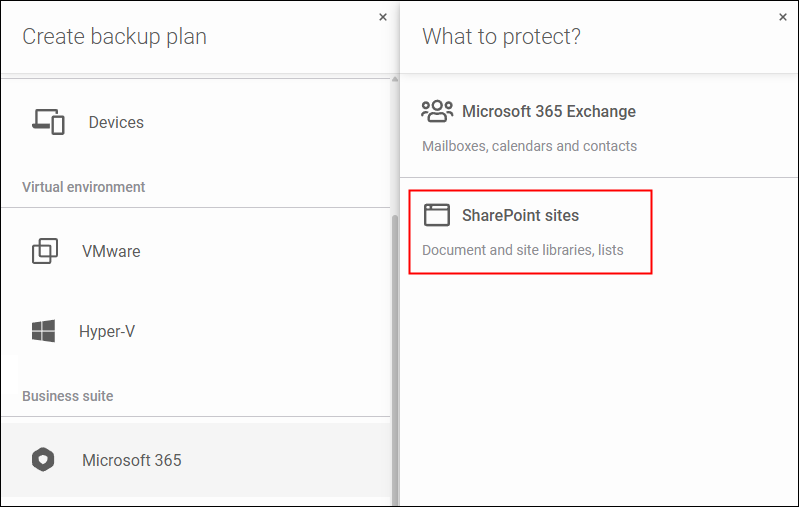
SharePoint Online in Microsoft 365 is the foundation of team collaboration. Xopero protects sites, pages, documents, lists, and other SharePoint elements to minimize the risk of downtime and financial loss.
You can restore a site and its resources to its original or alternative location. Or create an entirely new one using the data contained in your backup. Granular data recovery allows you to maintain organizational continuity in the event of accidental or deliberate deletion of a specific resource (e.g., a page or file).
Read our article on SharePoint backup best practices and learn how to ensure teamwork resiliency
Extended Support for Exchange Online: Shared Mailboxes
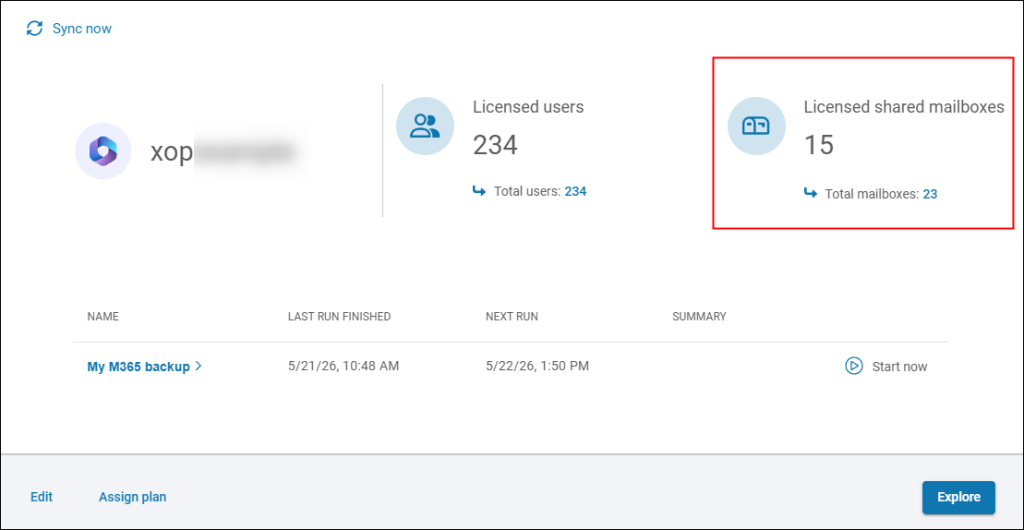
Xopero ONE and GitProtect enable the backup and recovery of shared mailboxes with the same granularity and reliability as user mailboxes.
That way, you get comprehensive protection for all your organization’s most important mail correspondence in Exchange Online (Microsoft 365).
Confluence Backup Now Available
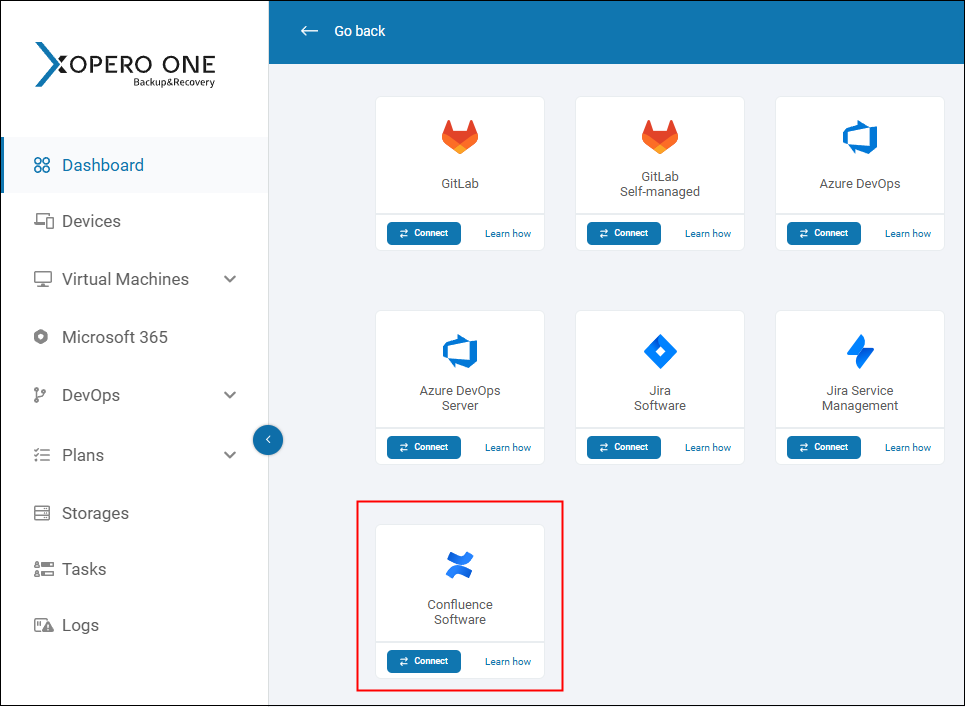
Confluence is a service from Atlassian that lets you conveniently keep organizational knowledge in one location.
Xopero provides protection for the entire Confluence ecosystem, including spaces, pages, blog posts, attachments, and key metadata.
With per-user licensing, unlimited or flexible retention policies, and granular backup and recovery, protecting your Confluence data becomes convenient and easily scalable.
Support for Jira Issue Keys
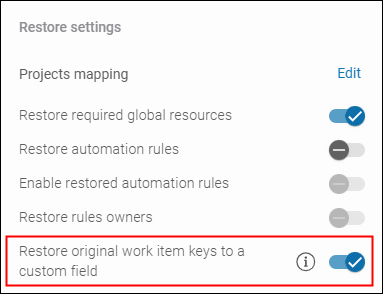
Issue keys are unique identifiers consisting of a letter abbreviation defined during project creation (e.g., DEV, MKT, or HR) and a sequential Issue number (e.g., 001, 002, etc.).
With each original issue key restored to a dedicated custom field, Jira administrators can easily restore relationships between issues, track change history, or configure integrations based on issue identifiers.
New Features in DevOps Stack Backup
Code hosting and version control platforms have always been a strong focus for Xopero. That’s why version 2.3.0 brings new features and enhancements in this area, too.
Fast Recovery with Automated Repository Mapping
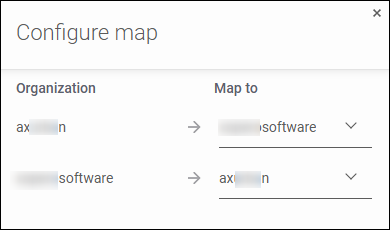
The mapping panel allows you to automatically bulk-assign repositories from source organization to target one, including in cross-platform recovery scenarios. This ensures that the data recovery preparation phase takes less time and is more efficient.
You can also freely edit the names of target repositories, gaining full flexibility in situations requiring manual intervention.
Support for the Most Complex Issue Hierarchies in GitHub
By supporting sub-issues and custom issue types, Xopero solutions can create faithful copies of even the most complicated issue hierarchies in GitHub.
As a result, you can be certain that after restoring to the same or a different organization, your data will be fully functional and error-free.
Support for GitHub Projects V2 for Enterprise Server
GitHub Projects V2 is a modern work management and tracking tool that introduces functionalities known from solutions like Jira or Trello into the GitHub ecosystem.
Xopero ONE / GitProtect allows you to secure GitHub Projects V2 data and metadata for both the cloud and self-managed (Enterprise Server) versions of GitHub. The goal is to ensure maximum protection for your organization, regardless of how you implemented GitHub.
Major Enhancements
Release 2.3.0 includes the following notable enhancements:
- You can now define your custom temporary folder for Xopero ONE agent data by using the
TempFolderparameter in the configuration file. The feature applies to the on-premises deployment only. - Visual identification of expired authentication data for additional Git service accounts facilitates the management of outdated credentials.
- Improved stability and reliability of S3 object storage and NFS storage types.
- More reliable handling of virtual disks during Hyper-V backups.
- Enhanced deduplication performance and stability when several backup jobs are executed simultaneously.
- Optimization of default Azure DevOps backup settings for faster recovery.
For full information, go to the Xopero ONE changelog.
Comprehensive Protection for Organizational Collaboration
Support for SharePoint Online, Confluence, and shared mailbox backup is a significant step toward ensuring the full security of team collaboration for our customers. With Xopero supporting endpoints, servers, virtual machines (VMware, Hyper-V), other Microsoft 365 services, DevOps platforms, and Jira, organizations gain comprehensive protection for their entire infrastructure. What’s more, they can effectively manage all backups from a single pane of glass.
Protect your organization’s most critical assets, such as key financial data, intellectual property, and personal information, with Xopero. Discover how our advanced technologies ensure:
- the security of your data (encryption, immutable backup),
- the business continuity of your organization (Disaster Recovery, Instant Recovery, granular recovery, etc.),
- compliance with regulations and industry standards, including DORA, HIPAA, NIS2.
You can test Xopero ONE and GitProtect version 2.3.0 for free for 14 days (no credit card required). Simply add all your environments and see how professional, centralized, and comprehensive protection works in practice.